Punjab E-Bike Scheme Phase 2 at a Glance
| Detail | Current Information |
|---|---|
| Application Deadline | October 4, 2026 |
| Government Subsidy | Rs. 90,000 |
| Interest Rate | 0% |
| Down Payment | None |
| Monthly Installment | Approximately Rs. 3,000 |
| Financing Period | 3 years |
| Application Method | Online |
| Official Portal | Punjab Bikes Portal |
Important: This guide explains the online application process. Applications are submitted through the official Punjab government portal, not through this website.
Before You Apply for the Punjab E-Bike Scheme
Before starting the Punjab E-Bike Scheme apply online 2026 process, check the current requirements and prepare the information you may need.
Read the Punjab E-Bike Scheme eligibility criteria and required documents before opening the application form.
Also make sure that:
The live application form remains the final reference for field names, document requirements, and verification instructions.
Required Documents for Punjab E-Bike Scheme Apply Online
Having your documents ready before starting the application can make the online registration process easier. The exact documents and upload fields may depend on the current Phase 2 application form, so always follow the requirements displayed on the official portal.
Applicant Documents
Depending on the current application form, you may need information or documents related to:
Applicant DocumGuarantor Documentsents
The current Phase 2 requirements include a parent or legal guardian who can act as guarantor and provide valid proof of income.
Keep the relevant guarantor information and supporting income documents ready before starting the application.
The current scheme information also states that the mobile number entered on the application should be in the guarantor’s name, except where the student has a documented source of income.
Quick Document Checklist
Before opening the application form, make sure you have:
Important: Do not rely on old Phase 1 document lists or unofficial social-media posts. Check the live application portal for the documents and upload requirements that apply to the current Phase 2 application.
What if two records do not match?
Check whether the discrepancy is a typing error in your application or an issue in the underlying record. Correct the application through the official edit route where available. For an incorrect source document, ask its issuing organization about correction.
Do not edit the image of a document to make it appear to match. If the current window is close to ending, ask official support how to handle the discrepancy.
Punjab E-Bike Scheme Application Process
The Punjab E-Bike Scheme Apply Online is completed online. The exact fields displayed can change as the government updates the portal, so follow the instructions shown during your application.
Step 1: Open the Punjab E-Bike Scheme Official Portal
Start your CM Punjab Bike Scheme registration online process from the official Punjab Bikes portal.
Open the official Punjab E-Bike Scheme portal
Check that you are applying for the Phase 2 student scheme before entering your information.
Do not submit your CNIC, OTP, password, or other personal information to a third-party website claiming to process the application.
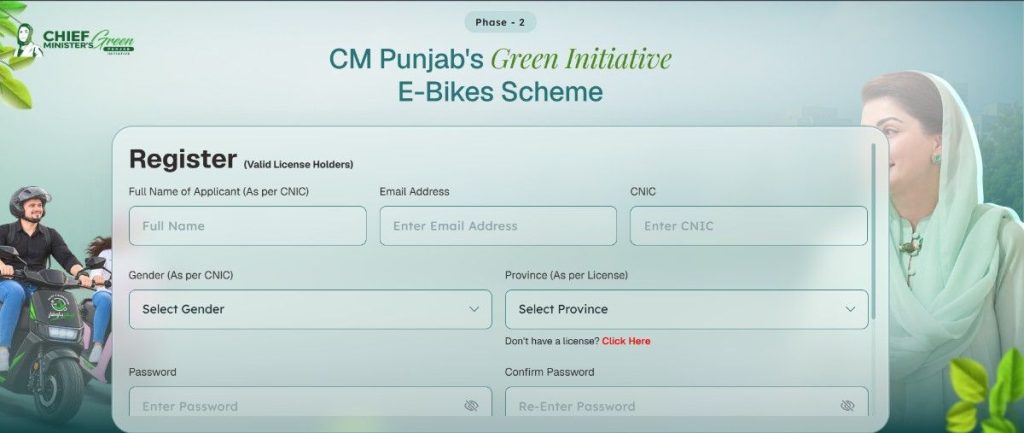
Step 2: Register Your Account
Select the registration option available on the official portal and provide the information requested by the current form.
The registration process may require identity and contact information for account verification. Use your own accurate details and the mobile number required by the current scheme instructions.
If you already have an account from an earlier application, check the official login option before creating another account.
Step 3: Complete the Personal Information
After registration or login, complete your personal profile using information exactly as it appears on your official records.
Check details such as:
Do not intentionally enter incorrect information simply to pass a validation check.
Step 4: Add Your Educational Details
Enter your current educational information as requested by the application form.
Make sure the institution name, campus, and other academic information match your actual enrollment records.
If you are unsure about an institution or field, check the available options on the official portal instead of selecting an unrelated institution.
Step 5: Provide Your Driving Credential
The Punjab E-Bike Scheme Apply Online Phase 2Phase 2 eligibility information allows a valid driving licence, learner’s permit, or juvenile driving permit as the applicable driving credential.
Enter the requested licence or permit information carefully.
Before submitting, check:
For complete requirements, see the Punjab E-Bike Scheme eligibility guide.
Step 6: Enter Guarantor Information
The Phase 2 requirements include a parent or legal guardian who can act as guarantor and provide valid proof of income.
The current scheme information also states that the mobile number entered on the application should be in the guarantor’s name, except where the student has a documented source of income.
Enter the guarantor’s information exactly as required by the live application form.
Do not use inaccurate information or someone else’s details without their knowledge.
Step 7: Upload Your Documents
After completing the applicant and guarantor information, upload the documents requested by the current application form.
Before uploading each file:
If the portal does not request a particular document, do not assume that you need to upload it unless the official instructions say otherwise.
Step 8: Review Your Application
Before clicking the final submission button, review the entire application.
Correct mistakes while the application is still editable rather than relying on support after submission.
Step 9: Submit the Application
Once everything is correct, submit the application through the official portal.
Do not assume that filling every field means your application has been submitted. Look for the portal’s confirmation message or application/reference information.
Save a screenshot or record of any application number, acknowledgement, or confirmation provided after submission.
CM Punjab Bike Scheme Apply Online Login
If you have already created an account, use the official portal’s Punjab E-Bike Scheme Apply Online login option rather than registering another account unnecessarily.
Use the official account-recovery process if you have forgotten your login information.
Never share your password or OTP with an agent or another person claiming to submit the application on your behalf.
CM Punjab Bike Scheme Apply Online Last Date
The current Phase 2 application deadline is October 4, 2026.
If you are searching for the Punjab Bike Scheme last date, use the current official notice and portal as your final reference because deadlines can change.
Do not rely on an old Phase 1 deadline or an outdated social-media post.
What Happens After You Apply?
After submitting your application, keep your application/reference information and monitor the official portal for further instructions.
The next stages can include verification and financing formalities depending on the applicant’s case and the scheme’s current process.
For tracking instructions, see our Punjab E-Bike Scheme application status guide.
If you encounter an issue during the application, use the Punjab Bike Scheme portal problems guide for troubleshooting.
Is Phase 2 Selected Through Balloting?
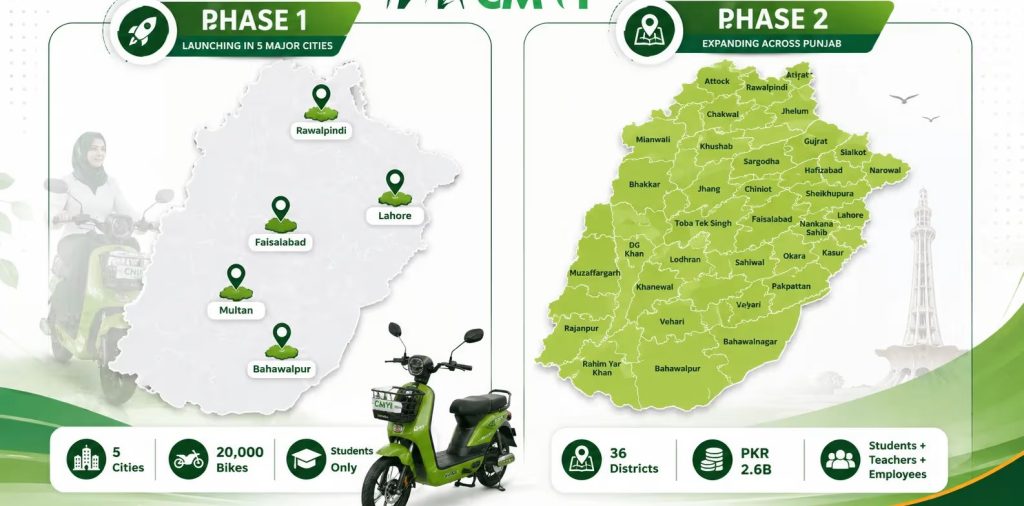
Do not confuse the current Phase 2 application process with the earlier Phase 1 process.
Current Phase 2 information describes documentation as proceeding on a first-come, first-served basis, rather than presenting the Phase 2 application as the same balloting process used in the earlier phase.
For historical Phase 1 balloting information, selected applicants and waiting-list information, see Punjab Bike Scheme Balloting Results.
Can I Edit My Application After Submission?
Editing depends on the options available in the live portal.
If the portal provides an edit or correction option, use that official function. If no correction option is available, contact the relevant official support channel rather than creating duplicate applications.
Do not submit false information to correct a mistake.
For official assistance, visit the Punjab Bike Scheme helpline.
What If the Punjab E-Bike Scheme Portal Is Not Working?
If the E-Bike Scheme portal is showing an error, first check whether the problem is related to your browser, login details, OTP, document upload, or the government portal itself.
Avoid repeatedly submitting the same application.
Record the error message and follow the troubleshooting steps in our Punjab Bike Scheme portal problems guide.
If the issue remains unresolved, use the official support channel and keep evidence of the problem, particularly when the application deadline is approaching.
Common Mistakes to Avoid in Punjab E-Bike Scheme Apply Online
Avoid these mistakes when completing your E bike scheme registration online: